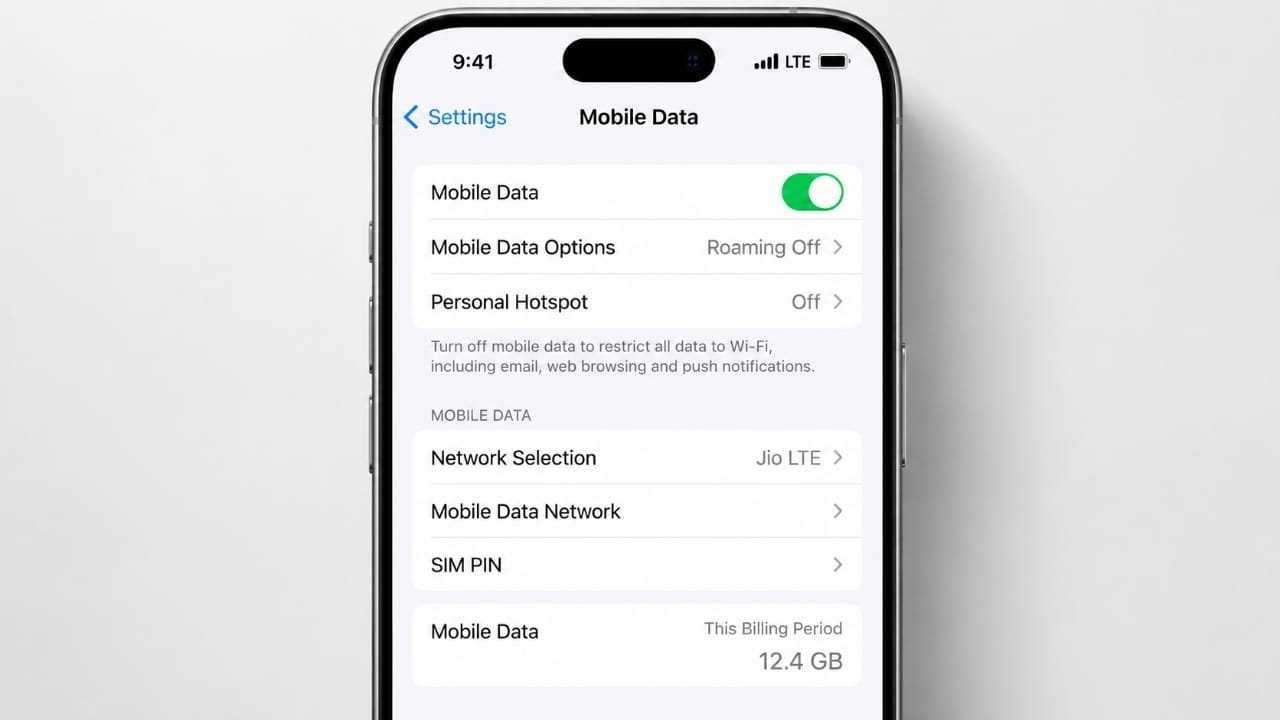
What Is LTE?
LTE stands for Long-Term Evolution. It is a mobile communication technology that provides wireless internet access through cellular networks. On most smartphones, it appears as 4G or 4G LTE in the status bar.
LTE allows users to browse websites, watch videos, use social media, send messages, and access online applications without a Wi-Fi connection. Compatible networks and devices can also support voice calls through a technology called Voice over LTE (VoLTE).
Although 5G is becoming more widely available, LTE continues to play an important role in mobile connectivity around the world.
Also read: How to Minimize a Window in Windows 10 and Windows 11
How Does an LTE Network Work?
An LTE connection uses radio signals to transfer information between your device and your mobile operator’s network. Several network components work together to keep this connection running.
Here is how the process works:
- Your device connects to a cell tower: A smartphone, tablet, or mobile hotspot sends and receives radio signals through a nearby LTE base station.
- The network handles the connection: The base station communicates with the operator’s network, which manages your connection and mobile data sessions.
- Your data reaches its destination: The network directs internet traffic to the requested website, application, or online service.
- Data returns to your device: The requested information travels back through the network and reaches your phone.
- The connection changes when you move: As you travel, your device can switch between nearby cell towers to maintain service when suitable coverage is available.
These steps usually happen within seconds, allowing you to use online services without managing the technical process yourself.
Main Components of an LTE Network
An LTE network consists of several parts, each responsible for a different task.
1. User Equipment
User equipment refers to the device you use to access the mobile network. It may be a smartphone, tablet, wireless router, or cellular modem.
The device contains a compatible radio modem and antenna. A SIM card or eSIM identifies your mobile subscription and helps the network authenticate your access.
2. LTE Base Station (eNodeB)
The eNodeB is the base station that connects your device to the LTE radio network. It sends and receives wireless signals and manages radio resources for connected devices.
Its performance and available capacity can affect how well nearby users experience the network.
3. Evolved Packet Core (EPC)
The Evolved Packet Core is the central part of a traditional LTE network. It handles important functions such as user authentication, data session management, mobility, and communication with external networks.
It helps ensure that mobile traffic reaches the correct destination as users move between coverage areas.
4. Backhaul Connection
A cell tower needs a connection to the operator’s wider network. This link is known as backhaul.
Mobile operators may use fiber-optic cables, microwave radio links, or other suitable connections to carry traffic between base stations and the core network. Limited backhaul capacity can reduce performance, particularly when many people are using the network.
LTE vs. 4G vs. VoLTE vs. 5G
These terms are related, but they do not all mean the same thing.
- LTE: A mobile communication technology designed to provide broadband data connectivity.
- 4G LTE: A common label used by mobile operators to describe LTE service.
- VoLTE: A technology that carries voice calls over an LTE network instead of relying on a traditional circuit-switched voice network.
- 5G: A newer generation of mobile communication technology that can provide improved capacity, speed, and responsiveness under suitable conditions.
Some 5G deployments use LTE as part of their network infrastructure, including certain arrangements for coverage, voice services, or connection management. Other deployments use a 5G core network.
The exact relationship between these technologies depends on the operator’s network design and the device being used.
What Affects LTE Internet Speed?
LTE speeds can vary considerably between locations and even at different times of the day. Seeing a 4G or LTE symbol on your phone does not guarantee a particular download or upload speed.
Several factors influence performance.
Signal Strength and Distance
A device generally has a better chance of maintaining a reliable connection when it receives a strong signal from a nearby base station. Distance, buildings, hills, and other physical obstacles can weaken the signal.
Network Congestion
When many users connect to the same cell, they share its available radio resources. During busy periods, downloads may become slower and online services may respond less quickly.
Available Spectrum and Bandwidth
Mobile operators use different radio frequency bands to provide LTE service. The amount of spectrum available and the bandwidth configured for a connection can affect its potential data rate.
Interference and Environmental Conditions
Signals from other radio sources, indoor walls, building materials, and surrounding terrain can influence reception. Weather may also affect some parts of a network, particularly certain backhaul links, although it is not always a major factor in everyday LTE performance.
Device Capabilities
Your phone’s modem, supported LTE bands, antenna design, and carrier aggregation support can influence the speeds available to you. A device that supports fewer of the operator’s bands may not perform as well in some areas.
Backhaul Capacity
Even when the radio signal is strong, a limited connection between the cell tower and the wider network can become a bottleneck.
For these reasons, LTE performance depends on several conditions working together rather than on signal bars alone.
Is LTE Still Useful in 2026?
Yes. LTE remains an important part of mobile communication in many countries. It provides connectivity in areas where 5G may be unavailable and supports a wide range of smartphones, routers, and connected devices.
LTE is still useful for:
- Accessing the internet on phones that do not support 5G.
- Maintaining mobile connectivity in areas with established 4G coverage.
- Supporting voice calls through VoLTE on compatible networks.
- Connecting devices such as cellular routers, tracking equipment, and some Internet of Things products.
- Providing service in network deployments where LTE works alongside 5G.
However, availability differs between mobile operators and locations. Some operators may also be changing their network configurations over time.
Before purchasing a phone or cellular router for a particular area, check the operator’s current coverage information and confirm that the device supports the required frequency bands. Coverage maps are useful guides, but actual reception may vary inside buildings and in areas with difficult terrain.
How to Improve a Weak LTE Connection
If your phone frequently loses its LTE connection or mobile data feels unusually slow, a few basic checks may help.
1. Change Your Location
Try moving closer to a window or going outdoors if it is safe to do so. Buildings and other obstacles can interfere with radio signals. Test the connection again after moving.
2. Toggle Airplane Mode
Turn Airplane Mode on briefly, then turn it off. This makes your phone reconnect to the mobile network and may resolve a temporary connection problem.
3. Restart Your Device
Restarting your phone can help clear certain temporary software or connectivity issues.
4. Check Mobile Data Settings
Make sure mobile data is enabled and that your SIM or eSIM is active. If you use a limited data plan, check whether you have reached a usage limit or whether your operator has applied any plan restrictions.
5. Install Available Updates
Check for operating system and carrier settings updates. These may improve compatibility or address known connectivity problems.
6. Test Another Location
If LTE works well in one place but performs poorly elsewhere, local coverage or network congestion may be responsible.
If the problem continues across several locations, check whether other devices on the same carrier are affected. You can also contact your mobile operator to ask about outages, account restrictions, or coverage issues.
7. Check Your Hotspot Usage
A phone used as a mobile hotspot shares its cellular connection with other devices. Multiple connected devices can increase data consumption and compete for available bandwidth.
Disconnect devices that are not in use and monitor your data usage if your plan has a limit.
Who Develops LTE Standards?
The 3rd Generation Partnership Project (3GPP) develops and maintains technical specifications for LTE and other cellular technologies.
These specifications establish how compatible network equipment and devices communicate. Mobile operators then decide which frequency bands, features, and network configurations to deploy according to their requirements and available resources.
As a result, two LTE networks may offer different levels of coverage and performance even when they use the same underlying technology.
Also read: How to Change Your Profile Picture on Twitch
Final Thoughts
LTE is a key technology behind modern mobile internet access. It connects smartphones and other devices to cellular networks, allowing people to browse the web, stream content, use applications, and make compatible voice calls.
Its performance depends on signal quality, network capacity, spectrum availability, backhaul, and device capabilities. While 5G continues to expand, LTE remains useful for everyday connectivity in many areas.
Understanding how LTE works can help you make better decisions when choosing a mobile device, checking network coverage, or troubleshooting a slow connection.

Advertisements